Social Media for Dummies: A Simple Guide to Get Started
If you’re new to social media, don’t worry—you’re not alone! Social media can seem overwhelming, especially with so many platforms and new trends popping up. This guide breaks down the basics to help you get started, from understanding the main platforms to simple tips for engaging with friends, family, and communities online.
What is Social Media?
In short, social media refers to online platforms where people connect, share, and communicate. Unlike traditional websites, social media platforms are designed for interaction. You can post photos, videos, updates, and comments, and engage with others by liking, commenting, or sharing their posts.
Why People Use Social Media
People use social media for many reasons, including:
- Staying in touch with friends and family.
- Learning about new topics, hobbies, or news.
- Building professional connections or networking.
- Sharing their lives through photos, videos, and stories.
- Joining communities of people with shared interests.
Main Social Media Platforms
There are several social media platforms, each with its own focus and style. Here’s an overview of some popular ones to help you choose where to start:
1. Facebook
Facebook is one of the most widely used platforms. It’s a versatile social media site where you can connect with friends, share updates, join groups, and follow pages of interest. You can post text updates, photos, videos, and links to articles.
- Best for: Staying in touch with friends and family, joining groups based on interests, and following businesses or public figures.
- How to Get Started: Create a profile with your name, a profile picture, and some basic info. You can then add friends, post updates, and start exploring.
2. Instagram
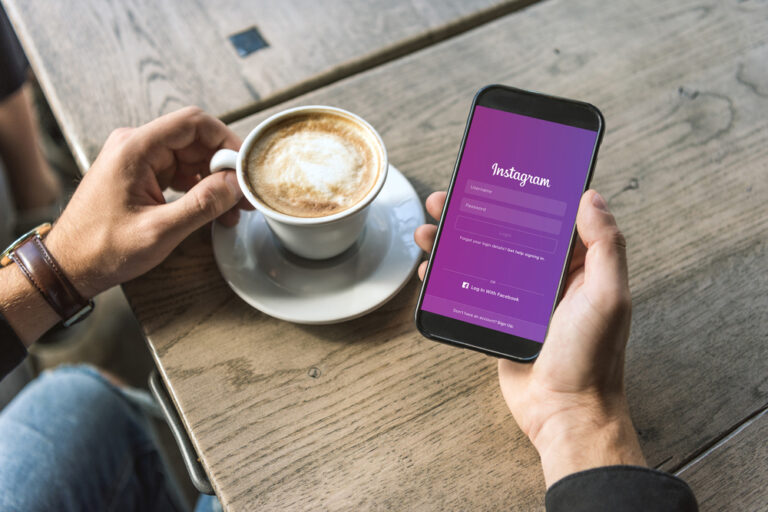
Instagram is a photo and video-sharing platform. It’s visually focused, so people post pictures or short videos, often with captions or hashtags. You can follow friends, celebrities, and brands, and interact by liking or commenting on posts.
- Best for: Sharing photos, videos, and stories (a feature for temporary posts that disappear in 24 hours).
- How to Get Started: Set up a profile and start by posting a few photos. You can explore content based on your interests and follow others.
3. Twitter
Twitter is for short updates and quick interactions. Posts (or “tweets”) are limited to 280 characters, so people keep it brief. Twitter is popular for news, trends, and discussions around current events.
- Best for: Following news, staying updated on trends, and quick exchanges of thoughts or opinions.
- How to Get Started: Create a profile, follow some accounts that interest you, and tweet about topics you care about.
4. LinkedIn
LinkedIn is a professional networking site. It’s a place to connect with colleagues, explore job opportunities, and share industry knowledge. LinkedIn profiles are like online resumes where people showcase their work history, skills, and achievements.
- Best for: Professional networking and job searching.
- How to Get Started: Set up a profile with your work experience, education, and skills. Connect with colleagues and others in your field.
5. TikTok
TikTok is a short-form video platform where people post entertaining, creative, or informative videos. TikTok is very popular among younger audiences, and videos can go viral quickly if they’re funny or creative.
- Best for: Watching or creating short, engaging videos.
- How to Get Started: Create a profile, watch videos on the “For You” page, and consider trying out the app’s video features if you want to post.
Social Media Terms You Should Know
Understanding some basic terms can help you feel more at home on social media:
- Post: Content you share on social media, like photos, videos, or text updates.
- Like: A way to show you appreciate someone’s post.
- Comment: A reply or response to a post.
- Share/Retweet: Sharing someone else’s content on your own profile (this is called “retweeting” on Twitter).
- Follower: Someone who subscribes to see your posts in their feed.
- Hashtag (#): A keyword or phrase with a “#” symbol that makes it easier for people to find related content.
- Feed: The main page where posts from people you follow appear.
- Stories: Temporary posts that disappear after 24 hours, often seen on Instagram and Facebook.
- DM: Short for “Direct Message,” a private message between you and another user.
Setting Up Your Profile
Each platform will guide you through setting up a profile when you first sign up. Here are a few things to keep in mind:
- Profile Picture: Choose a clear, friendly photo. A recent photo of your face works well for personal accounts, while a logo may be best for businesses.
- Bio: Write a short description about yourself or what you’ll be sharing on your profile. Keep it simple, friendly, and genuine.
- Privacy Settings: Each platform lets you control who sees your posts and information. Review these settings to decide how much you want to share publicly.
How to Connect with Others
Once your profile is set up, you can start connecting with people. Here are some tips:
- Add Friends or Follow People: Start by connecting with people you know—friends, family, colleagues.
- Join Groups: On platforms like Facebook, groups let you join conversations with others who share your interests, like cooking, gardening, or local events.
- Explore Hashtags: On Instagram and Twitter, hashtags help you find content on specific topics (e.g., #Travel, #Cooking).
- Engage with Others: Don’t be afraid to like, comment, and interact with others’ posts. This is how you build connections and make the most of social media.
Tips for Using Social Media Responsibly
Social media can be fun, but it’s important to use it responsibly. Here are some guidelines:
- Be Kind: Avoid posting negative comments or engaging in arguments. Treat others respectfully.
- Limit Personal Info: Don’t share too much personal information. Avoid posting your address, phone number, or sensitive details.
- Fact-Check Before Sharing: Double-check news or information before sharing to avoid spreading misinformation.
- Take Breaks: It’s easy to spend hours scrolling. Try to take breaks and set limits to avoid spending too much time online.
Social Media Safety Tips
Staying safe on social media is essential. Here are a few safety tips:
- Use Strong Passwords: Create unique, strong passwords for each account to keep your information secure.
- Beware of Scams: Be cautious if someone contacts you about money, investments, or too-good-to-be-true offers.
- Adjust Privacy Settings: Control who can see your posts and who can contact you. Set your account to private if you want only approved followers to view your posts.
- Report Harmful Content: If you see inappropriate or harmful content, report it. Most platforms have a way to flag content that violates community guidelines.
Making the Most of Social Media
Using social media doesn’t have to be complicated or stressful. Here are a few ways to enjoy it more:
- Follow Topics You Love: Whether it’s cooking, travel, sports, or tech, follow accounts that share content you’re passionate about.
- Share What Makes You Happy: Post about your interests, hobbies, or experiences. Share things that bring you joy or reflect who you are.
- Connect with People Around the World: Social media is a great way to learn from others and experience different cultures. Don’t be afraid to follow people from other countries or join international groups.
- Learn and Grow: Use social media to learn new things—DIY projects, recipes, languages, or new skills. It can be a great educational tool!
Final Thoughts
Social media is all about connection and sharing. By understanding the basics, setting up your profile thoughtfully, and engaging responsibly, you can have a positive experience on social media. Take your time exploring each platform, and remember to have fun! Social media is what you make of it, so use it to stay connected, learn, and enjoy the online world.